AD
Type:
ad• Category:indicators
Description
Chaikin A/D Line
Parameters
| Name | Type | Description | Required | Default |
|---|---|---|---|---|
dataExp | string | data with prices | no | |
high | string | select the column with highest prices | no | |
low | string | select the column with lowest prices | no | |
close | string | select the column with closing prices | no | |
volume | string | select the column with volume | no |
Help
AD (Chaikin A/D Line) Indicator Worker
Description
The AD (Chaikin A/D Line) indicator worker is a financial analysis tool used to gauge the money flow into or out of a security. It is based on the idea that the more volume that accompanies a move, the more significant the move is.
What does this worker do?
The AD indicator worker calculates the Chaikin A/D Line, which is a cumulative indicator that adds the Money Flow Volume to a running total. The worker takes in data with prices and volume, and outputs the A/D Line values.
Parameters
The AD indicator worker requires the following parameters:
dataExp: data with priceshigh: select the column with highest priceslow: select the column with lowest pricesclose: select the column with closing pricesvolume: select the column with volume
How to Interpret the Results
The A/D Line can be interpreted in the following ways:
- A rising A/D Line indicates that the security is experiencing positive money flow, which can be a sign of buying pressure and potential upward price movement.
- A falling A/D Line indicates that the security is experiencing negative money flow, which can be a sign of selling pressure and potential downward price movement.
- A divergence between the A/D Line and the price action can be a sign of a potential trend reversal.
Additional Knowledge
The Chaikin A/D Line was developed by Marc Chaikin, a well-known technical analyst. The indicator is based on the concept of Money Flow, which takes into account both the price and volume of a security. The A/D Line is often used in conjunction with other technical indicators to confirm trading signals.
Usage Examples
For a visual guide on how to use the AD indicator worker, please refer to the following GIFs:
Full GIF
[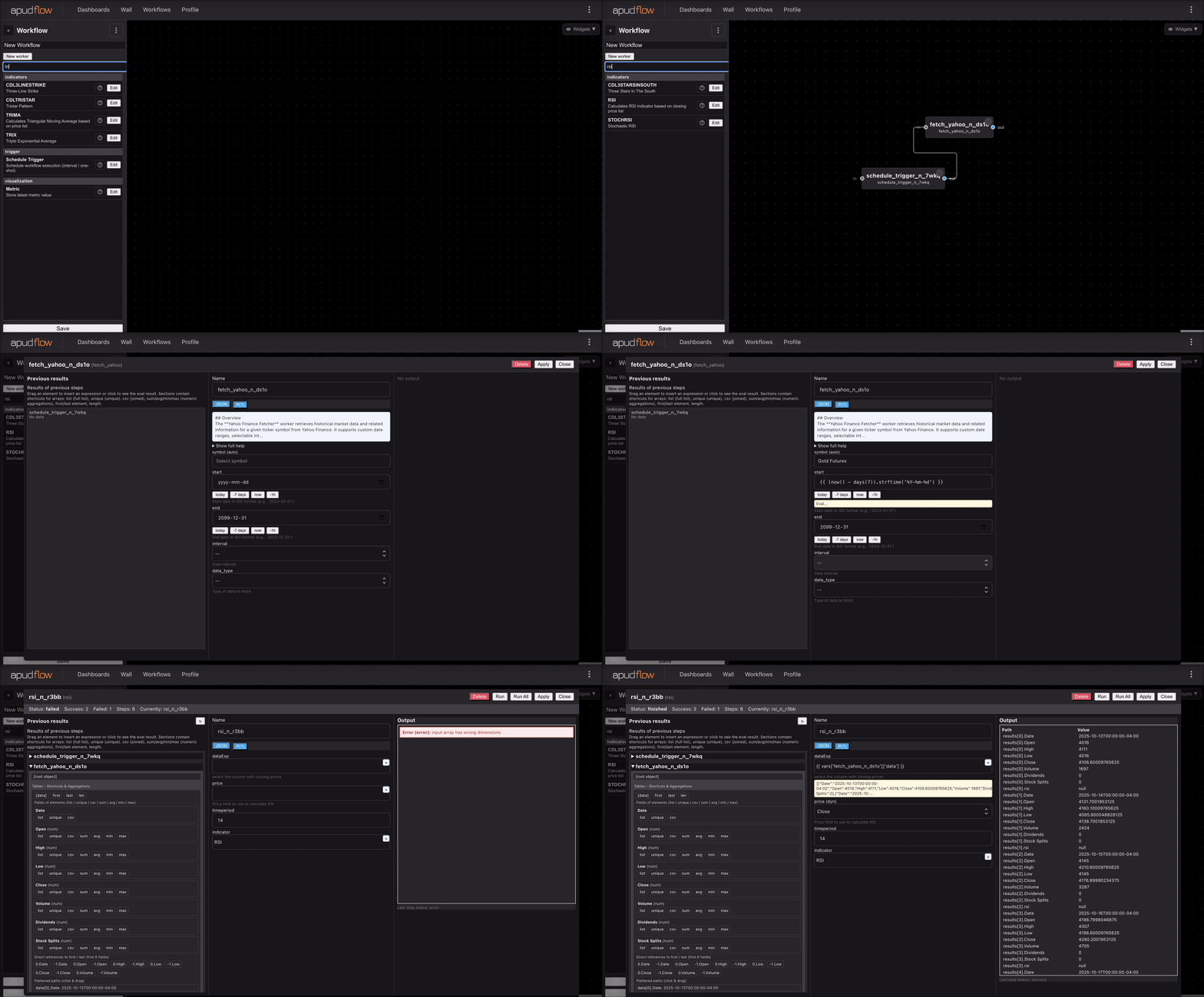](https://pub-6c7cc7f707d94ca98153d59a039b9a3d.r2.dev/indicator_full.gif)
Short GIF
[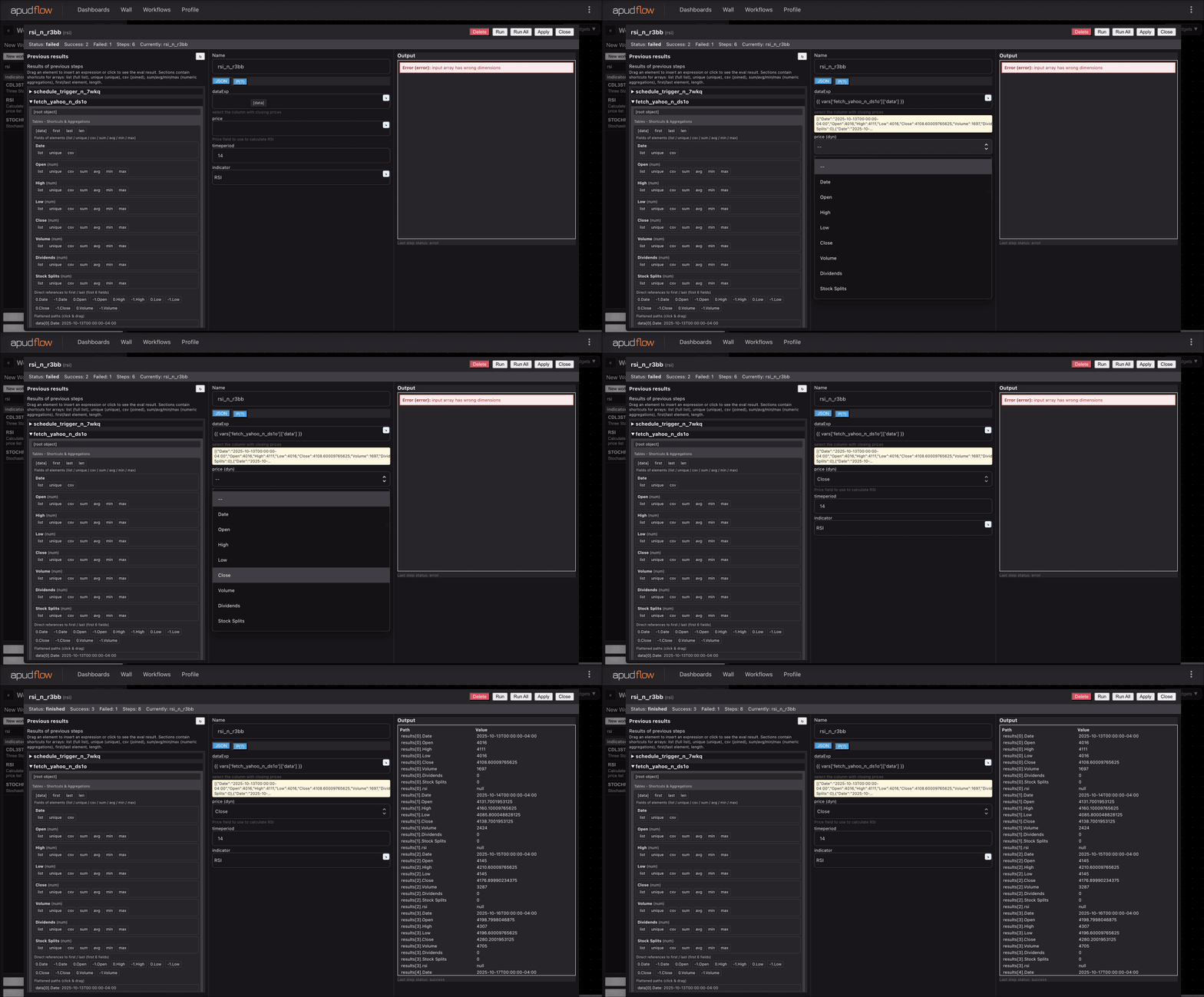](https://pub-6c7cc7f707d94ca98153d59a039b9a3d.r2.dev/indicator_short.gif)