MIN
Type:
min• Category:indicators
Description
Lowest value over a specified period
Parameters
| Name | Type | Description | Required | Default |
|---|---|---|---|---|
dataExp | string | prices data | no | |
real | string | Data column to apply the calculation to (e.g., closing price) | no | |
timeperiod | number | Number of periods | no | 30 |
Help
MIN Indicator
Description
The MIN indicator is a widely used tool in financial analysis that calculates the lowest value of a specified data series over a given period. This indicator helps traders and analysts identify the minimum price of a security, commodity, or currency over a specified time frame.
What does this worker do?
The MIN indicator worker takes in the following parameters:
dataExp: prices datareal: Data column to apply the calculation to (e.g., closing price)timeperiod: Number of periods
It then calculates the lowest value of the specified data series over the given period.
How to interpret the results
The MIN indicator provides the lowest value of the specified data series over the given period. This information can be used to:
- Identify support levels: The MIN indicator can help traders identify potential support levels, which are areas where the price may bounce back or stabilize.
- Determine price trends: By analyzing the MIN indicator over different time periods, traders can gain insights into the overall price trend and make informed investment decisions.
Additional Information
The MIN indicator is often used in conjunction with other technical indicators to form a trading strategy. It can be used to:
- Confirm trends: A rising MIN indicator can confirm an uptrend, while a falling MIN indicator can confirm a downtrend.
- Identify reversals: A MIN indicator that starts to rise after a prolonged downtrend may indicate a potential reversal.
Usage Example
To use the MIN indicator, simply provide the required parameters:
MIN(dataExp=prices, real='close', timeperiod=20)
This will calculate the lowest closing price over a 20-period window.
Visualizing the MIN Indicator
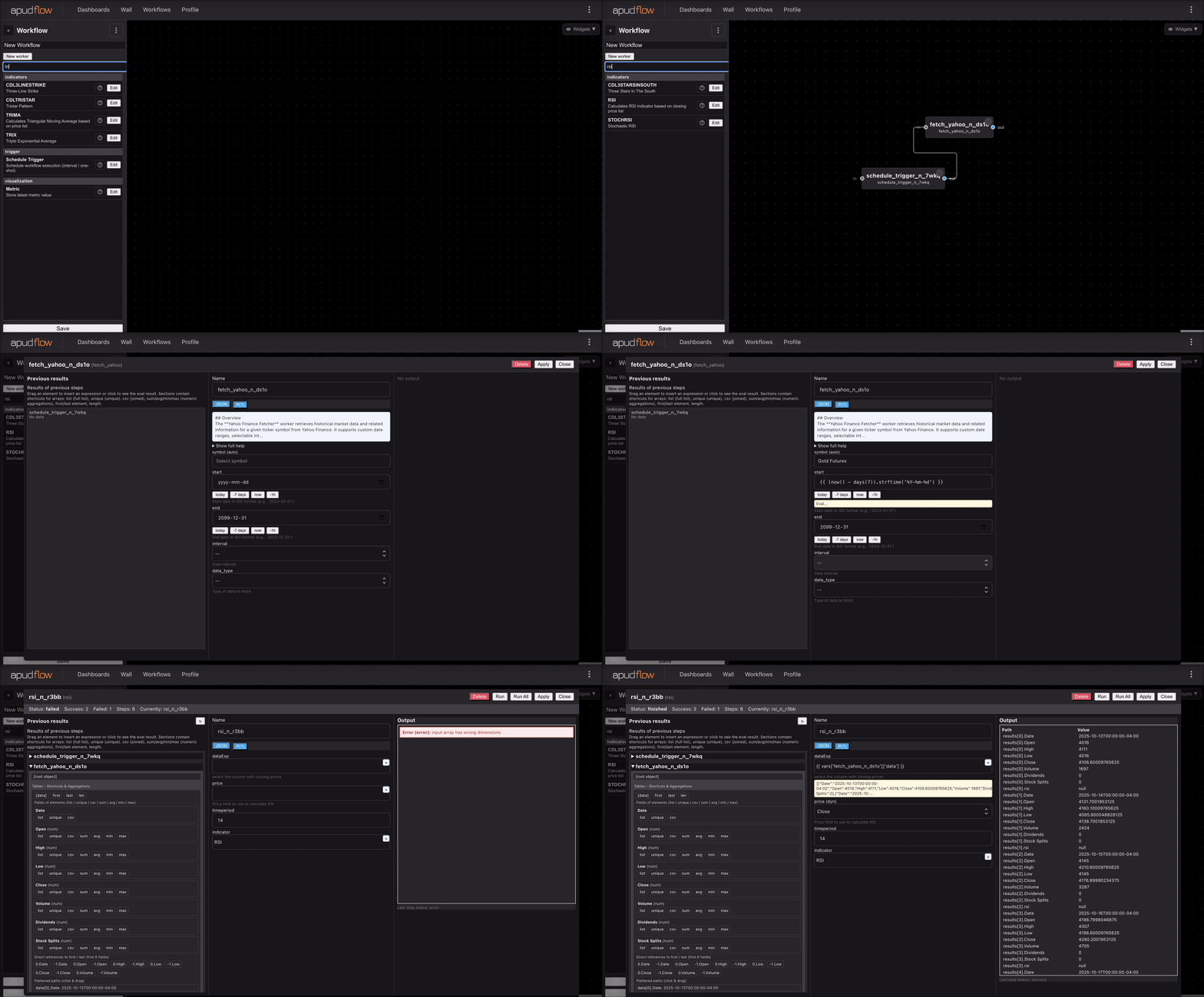
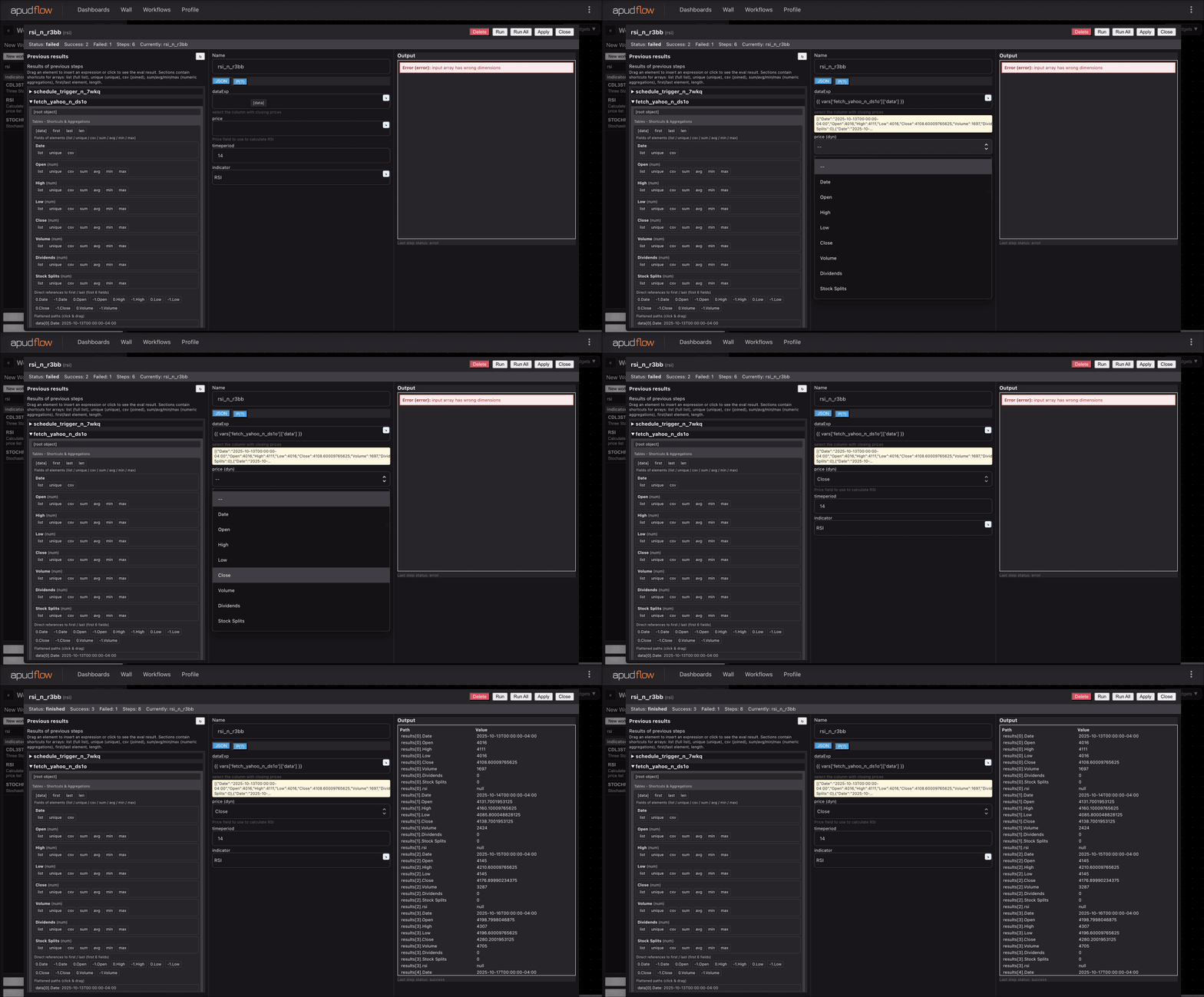
For a visual representation of how to use the MIN indicator, refer to the following images:
Full GIF Example
[](https://pub-6c7cc7f707d94ca98153d59a039b9a3d.r2.dev/indicator_full.gif)
Short GIF Example
[](https://pub-6c7cc7f707d94ca98153d59a039b9a3d.r2.dev/indicator_short.gif)
These images demonstrate how to apply the MIN indicator to a sample dataset.