ULTOSC
Type:
ultosc• Category:indicators
Description
Ultimate Oscillator
Parameters
| Name | Type | Description | Required | Default |
|---|---|---|---|---|
dataExp | string | data with prices | no | |
high | string | select the column with highest prices | no | |
low | string | select the column with lowest prices | no | |
close | string | select the column with closing prices | no | |
timeperiod1 | number | First time period for Ultimate Oscillator | no | 7 |
timeperiod2 | number | Second time period for Ultimate Oscillator | no | 14 |
timeperiod3 | number | Third time period for Ultimate Oscillator | no | 28 |
Help
ULTOSC: Ultimate Oscillator
Description
The Ultimate Oscillator (ULTOSC) is a technical indicator used in financial analysis to gauge the momentum of an asset's price. It was developed by Larry Williams in 1976. This worker calculates the ULTOSC value based on three different time periods, providing insights into the buying and selling pressure of an asset.
What does this worker do?
The ULTOSC worker takes in data with prices and calculates the Ultimate Oscillator value based on the specified time periods. It uses the following parameters:
dataExp: data with priceshigh: select the column with highest priceslow: select the column with lowest pricesclose: select the column with closing pricestimeperiod1: First time period for Ultimate Oscillatortimeperiod2: Second time period for Ultimate Oscillatortimeperiod3: Third time period for Ultimate Oscillator
How to interpret the results
The ULTOSC value ranges from 0 to 100. A higher value indicates that the asset is experiencing buying pressure, while a lower value indicates selling pressure. Here are some general guidelines for interpreting the results:
- Values above 70 indicate overbought conditions, which may lead to a price decline.
- Values below 30 indicate oversold conditions, which may lead to a price increase.
- Values between 30 and 70 indicate a neutral market.
Usage
To use this worker, simply provide the required parameters and run the worker. The output will be the calculated ULTOSC value.
Example Usage
To get started with the ULTOSC worker, follow these steps:
- Prepare your data with prices, including high, low, and close prices.
- Select the columns for high, low, and close prices.
- Specify the three time periods for the Ultimate Oscillator.
- Run the worker with the provided parameters.
Visualizing the ULTOSC Worker
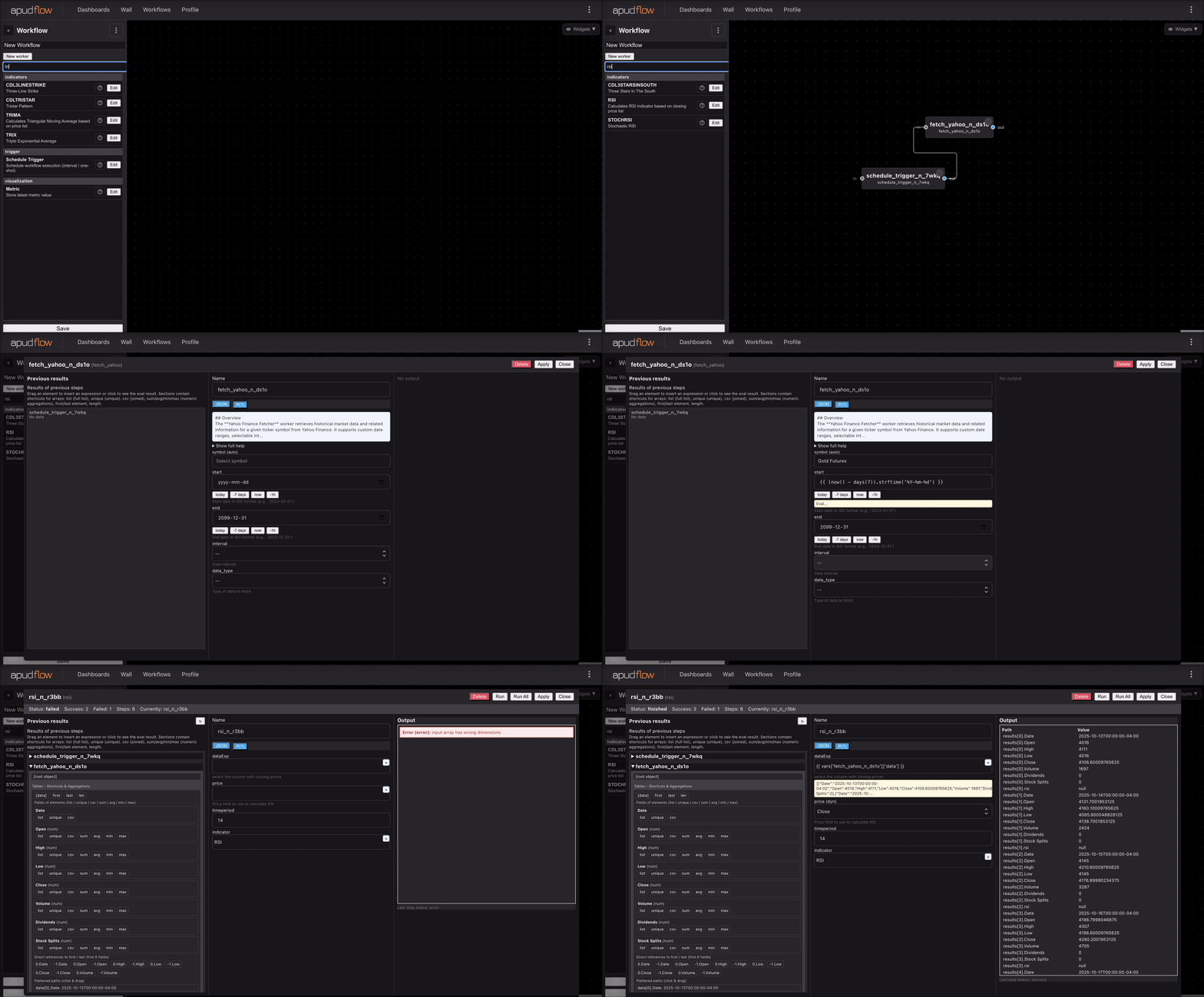
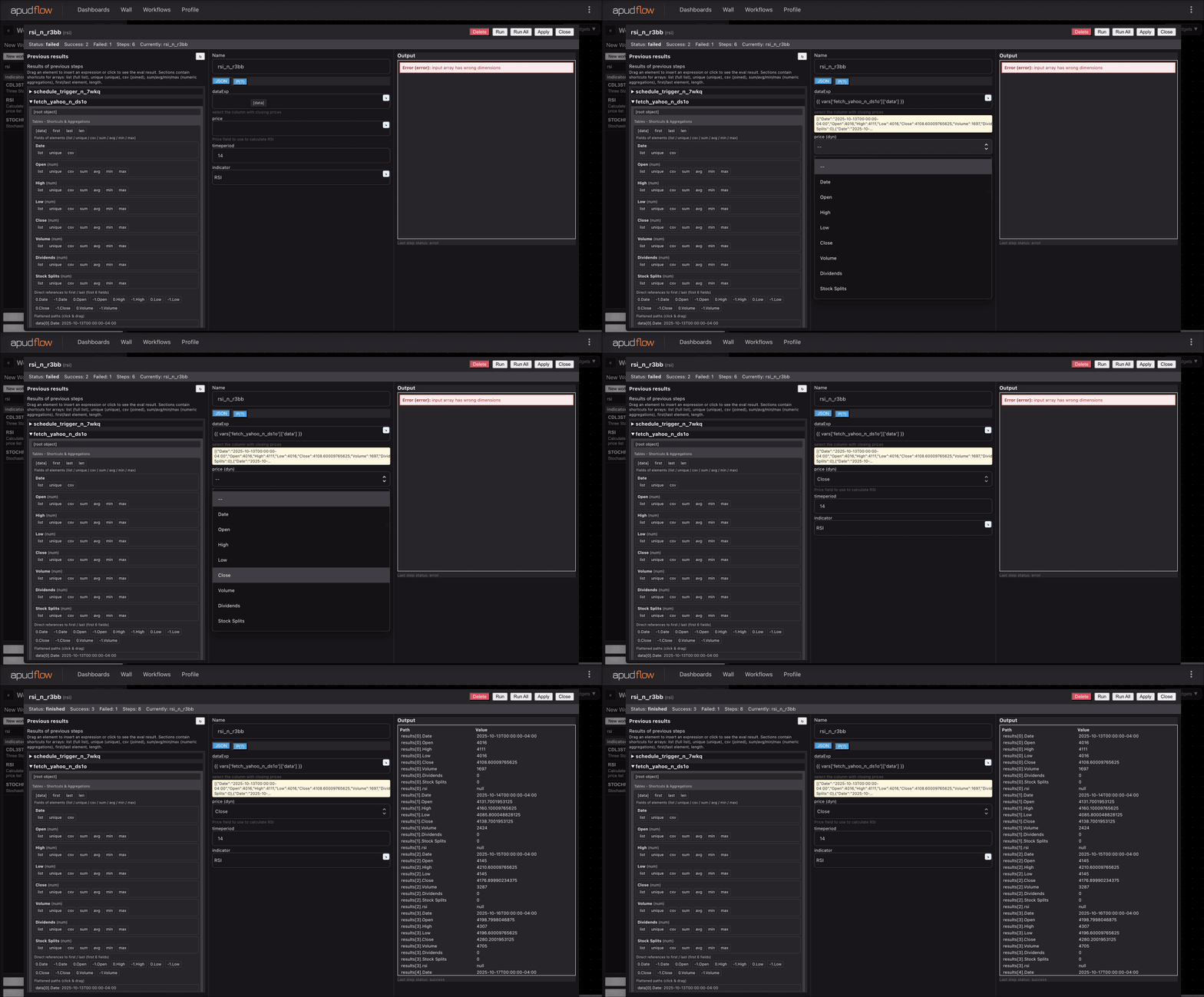
For a visual guide on how to use the ULTOSC worker, refer to the following GIFs:
Full GIF
[](https://pub-6c7cc7f707d94ca98153d59a039b9a3d.r2.dev/indicator_full.gif)
Short GIF
[](https://pub-6c7cc7f707d94ca98153d59a039b9a3d.r2.dev/indicator_short.gif)
Additional Information
The Ultimate Oscillator is a momentum indicator that aims to capture the essence of three different time frames, providing a more comprehensive view of the market. By using this worker, traders and analysts can gain insights into the buying and selling pressure of an asset, helping them make more informed decisions.