LINEARREG_ANGLE
Type:
linearreg_angle• Category:indicators
Description
Linear Regression Angle
Parameters
| Name | Type | Description | Required | Default |
|---|---|---|---|---|
dataExp | string | prices data | no | |
real | string | Data column to apply the calculation to (e.g., closing price) | no | |
timeperiod | number | Number of periods to use for LINEARREG_ANGLE calculation | no | 14 |
Help
LINEARREG_ANGLE
Description
The LINEARREG_ANGLE worker is a financial analysis tool used to calculate the angle of a linear regression line over a specified time period. This indicator helps users identify the trend and strength of a security's price movement.
What does this worker do?
The LINEARREG_ANGLE worker calculates the angle of a linear regression line using the least squares method. It takes into account a specified number of past periods (defined by the timeperiod parameter) and applies the calculation to a specified data column (defined by the real parameter).
How to interpret the results
The LINEARREG_ANGLE indicator returns a value that represents the angle of the linear regression line in degrees. The angle can be interpreted as follows:
- A positive angle indicates an upward trend, while a negative angle indicates a downward trend.
- A steeper angle (closer to 90 or -90 degrees) indicates a stronger trend, while a shallower angle (closer to 0 degrees) indicates a weaker trend.
Parameters
The LINEARREG_ANGLE worker accepts the following parameters:
dataExp: prices datareal: Data column to apply the calculation to (e.g., closing price)timeperiod: Number of periods to use for LINEARREG_ANGLE calculation
Usage
To use the LINEARREG_ANGLE worker, simply provide the required parameters and execute the worker. The worker will return the calculated angle value.
Example Usage
Here is an example of how to use the LINEARREG_ANGLE worker:
LINEARREG_ANGLE(dataExp=[1, 2, 3, 4, 5], real='close', timeperiod=3)
Visualizing the Indicator
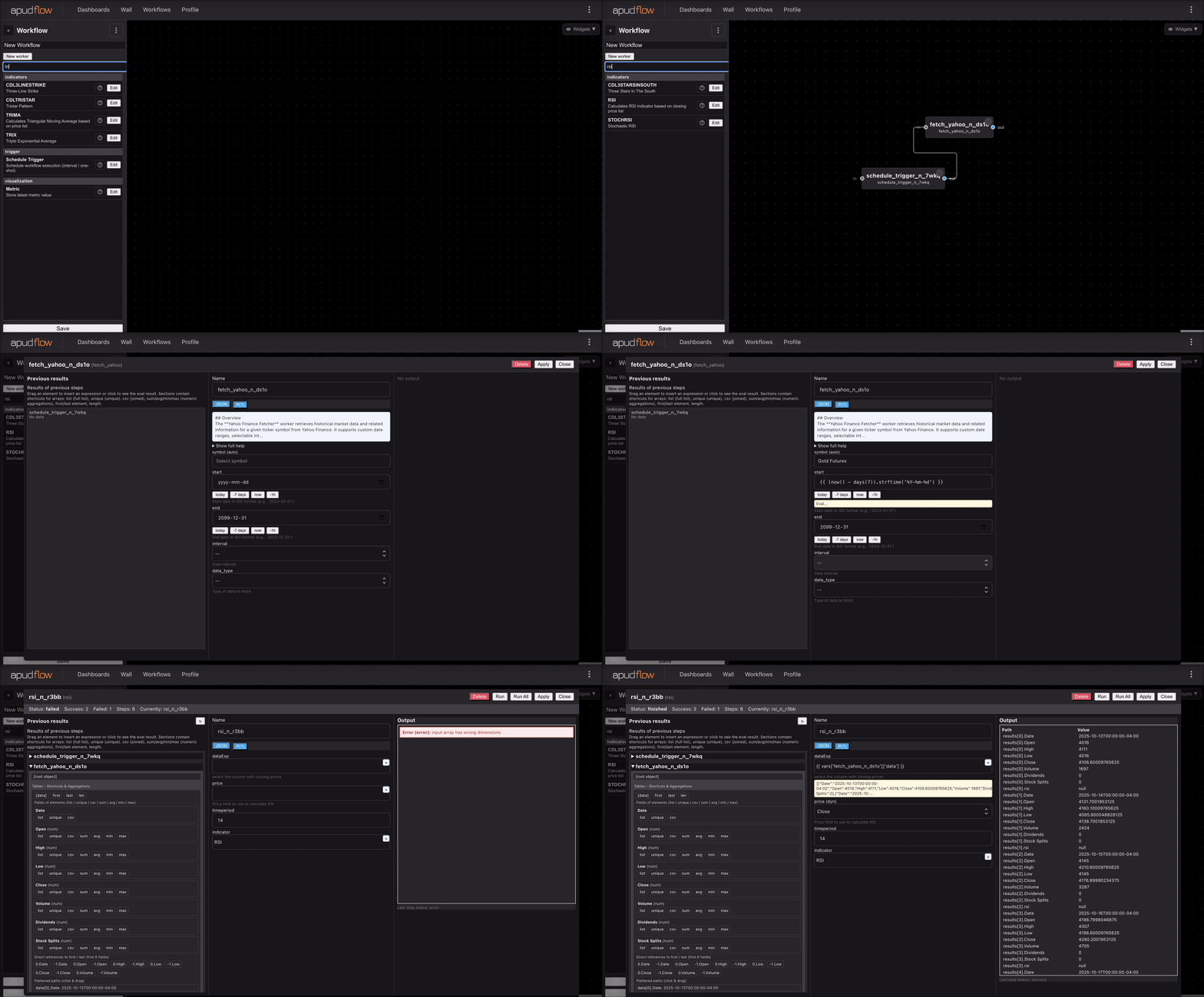
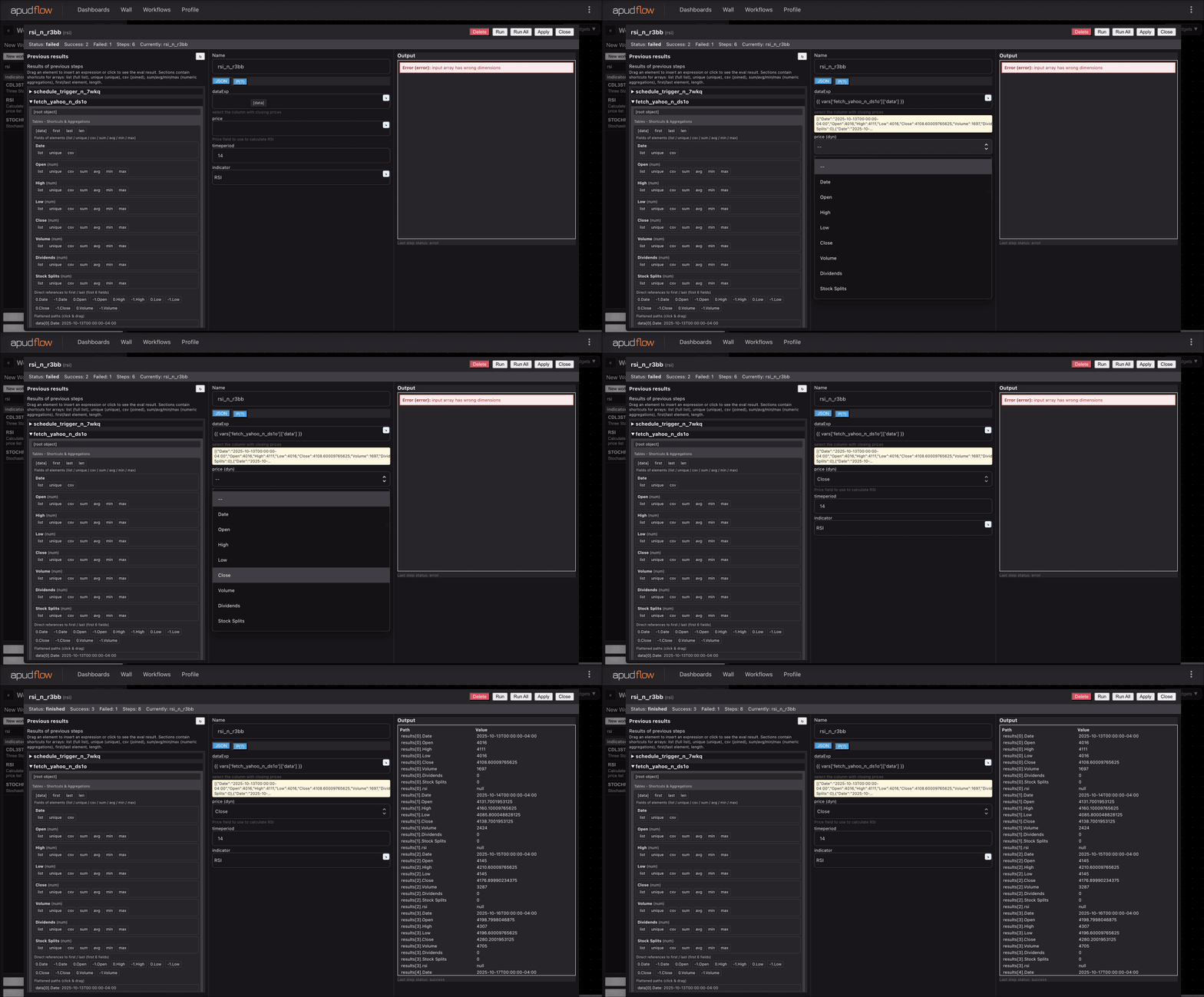
For a visual representation of how to use the LINEARREG_ANGLE worker, please see the following GIFs:
Full GIF
[](https://pub-6c7cc7f707d94ca98153d59a039b9a3d.r2.dev/indicator_full.gif)
Short GIF
[](https://pub-6c7cc7f707d94ca98153d59a039b9a3d.r2.dev/indicator_short.gif)
Additional Information
The LINEARREG_ANGLE indicator is often used in conjunction with other technical analysis tools to confirm trading signals. It can be used to identify potential trend reversals or to confirm the strength of a trend. A common strategy is to use the LINEARREG_ANGLE indicator in combination with a moving average to generate buy and sell signals. When the LINEARREG_ANGLE indicator crosses above or below a certain threshold, it can be used to trigger a buy or sell signal.