EXP
Type:
exp• Category:indicators
Description
Vector Arithmetic Exp
Parameters
| Name | Type | Description | Required | Default |
|---|---|---|---|---|
dataExp | string | Input data | no | |
real | string | Data column to apply the calculation to (e.g., closing price) | no |
Help
EXP
Vector Arithmetic Exp
Description
The EXP worker is a financial analysis indicator that calculates the exponential value of a specified data column. This indicator is used to analyze and visualize financial data, providing insights into market trends and patterns.
What does this worker do?
The EXP worker applies the exponential function to the specified data column, typically the closing price of a financial instrument. This calculation helps to:
- Smooth out price movements
- Reduce the impact of extreme values
- Emphasize trends and patterns in the data
How to interpret the results
The resulting values from the EXP worker represent the exponential of the input data. A higher value indicates a greater exponential value, while a lower value indicates a smaller exponential value.
Usage
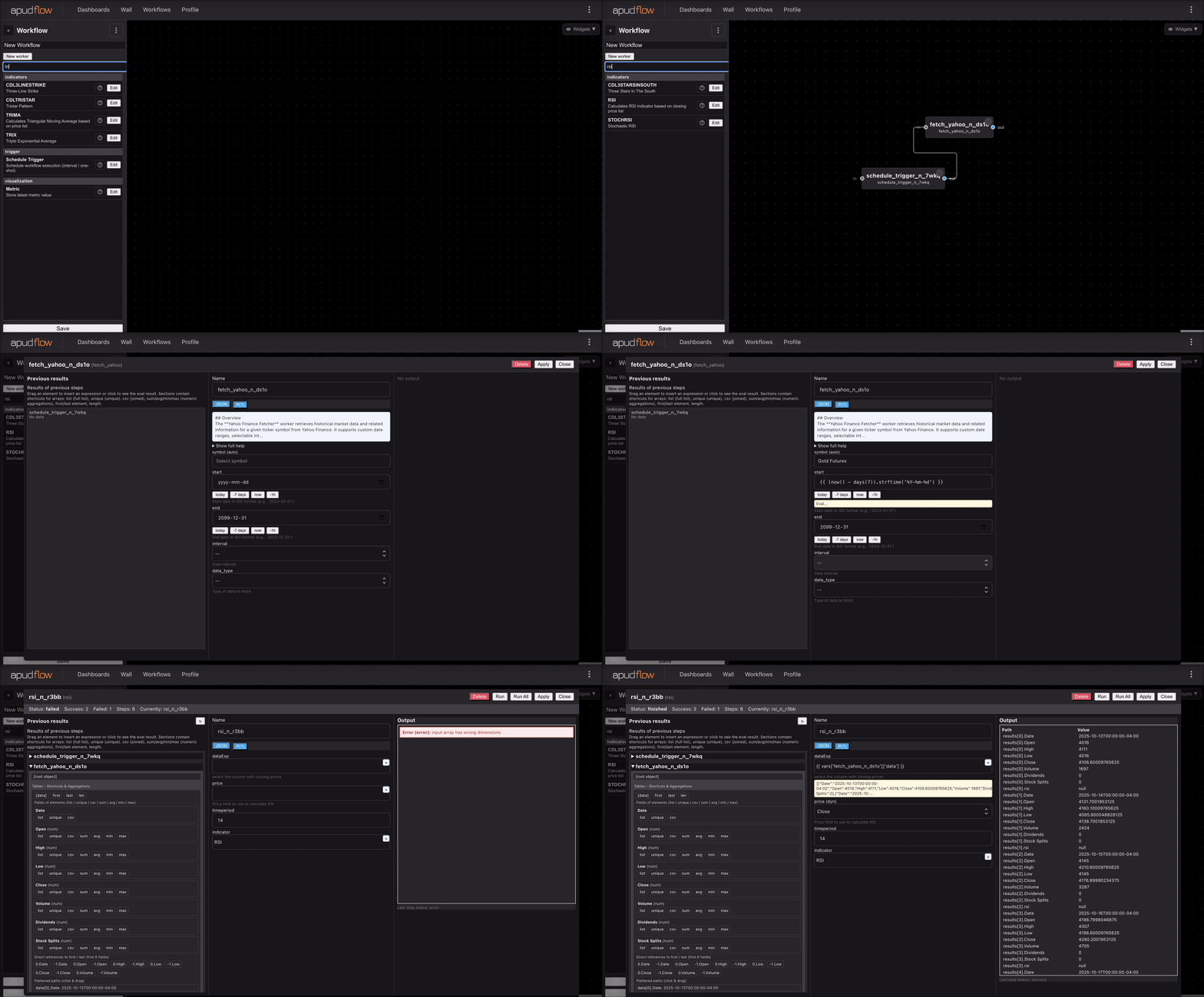
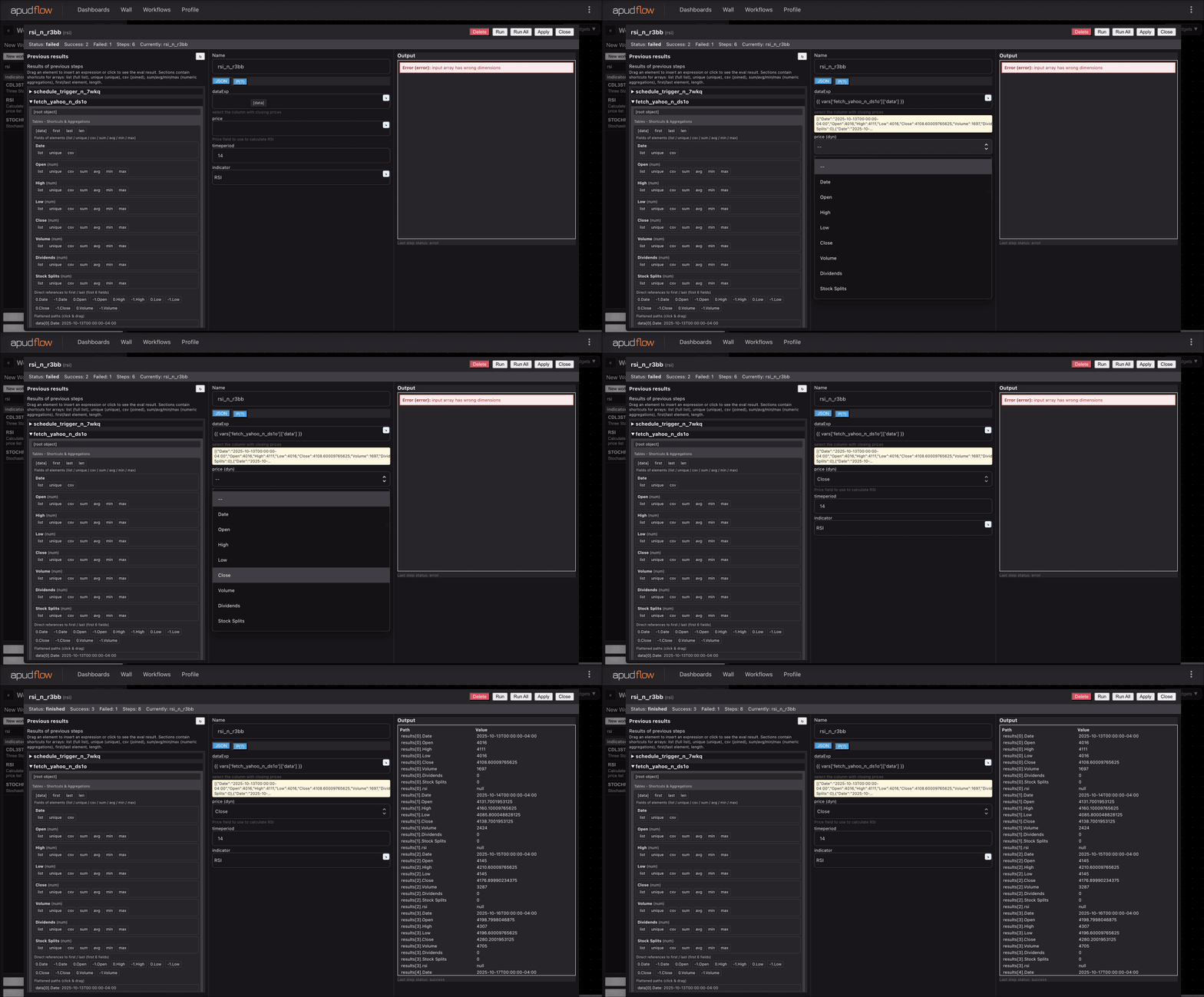
To use the EXP worker, simply provide the input data and specify the column to apply the calculation to (e.g., closing price).
Parameters:
dataExp: Input datareal: Data column to apply the calculation to (e.g., closing price)
Example Use Case
The following example demonstrates how to use the EXP worker:
Assuming we have a dataset with the following columns:
| Date | Close |
|---|---|
| 2022-01-01 | 100 |
| 2022-01-02 | 120 |
| 2022-01-03 | 110 |
To apply the EXP worker to the Close column, we would provide the following inputs:
dataExp: The dataset with theClosecolumnreal:Close
The resulting output would be:
| Date | Close | EXP |
|---|---|---|
| 2022-01-01 | 100 | 100 |
| 2022-01-02 | 120 | 132.9 |
| 2022-01-03 | 110 | 127.1 |
Visualizing the EXP Indicator
For a visual representation of how to use the EXP worker, please refer to the following GIFs:
Full GIF
[](https://pub-6c7cc7f707d94ca98153d59a039b9a3d.r2.dev/indicator_full.gif)
Short GIF
[](https://pub-6c7cc7f707d94ca98153d59a039b9a3d.r2.dev/indicator_short.gif)
Additional Knowledge
The exponential function is commonly used in finance to model and analyze various phenomena, such as:
- Volatility: The EXP worker can help to smooth out volatile price movements, providing a clearer picture of market trends.
- Trend analysis: By applying the exponential function to price data, analysts can identify patterns and trends that may not be immediately apparent.
By incorporating the EXP worker into your financial analysis toolkit, you can gain a deeper understanding of market dynamics and make more informed investment decisions.