SINH
Type:
sinh• Category:indicators
Description
Vector Trigonometric Sinh
Parameters
| Name | Type | Description | Required | Default |
|---|---|---|---|---|
dataExp | string | Input data | no | |
real | string | Data column to apply the calculation to (e.g., closing price) | no |
Help
SINH: Vector Trigonometric Sinh
Description
The SINH indicator is a mathematical function used in financial analysis to calculate the hyperbolic sine of a given data series. This indicator is part of a family of mathematical functions used to analyze and visualize financial data.
What does this worker do?
The SINH worker calculates the hyperbolic sine of a specified data column, typically used for financial data such as stock prices, returns, or other numerical values. The hyperbolic sine function is defined as:
sinh(x) = (e^x - e^(-x)) / 2
This function maps any real-valued number to a value between -∞ and ∞.
How to interpret the results?
The result of the SINH indicator is a new data series that represents the hyperbolic sine of the input data. The interpretation of the results depends on the context of the analysis.
- A positive value indicates an increasing rate of change in the input data.
- A negative value indicates a decreasing rate of change in the input data.
Usage
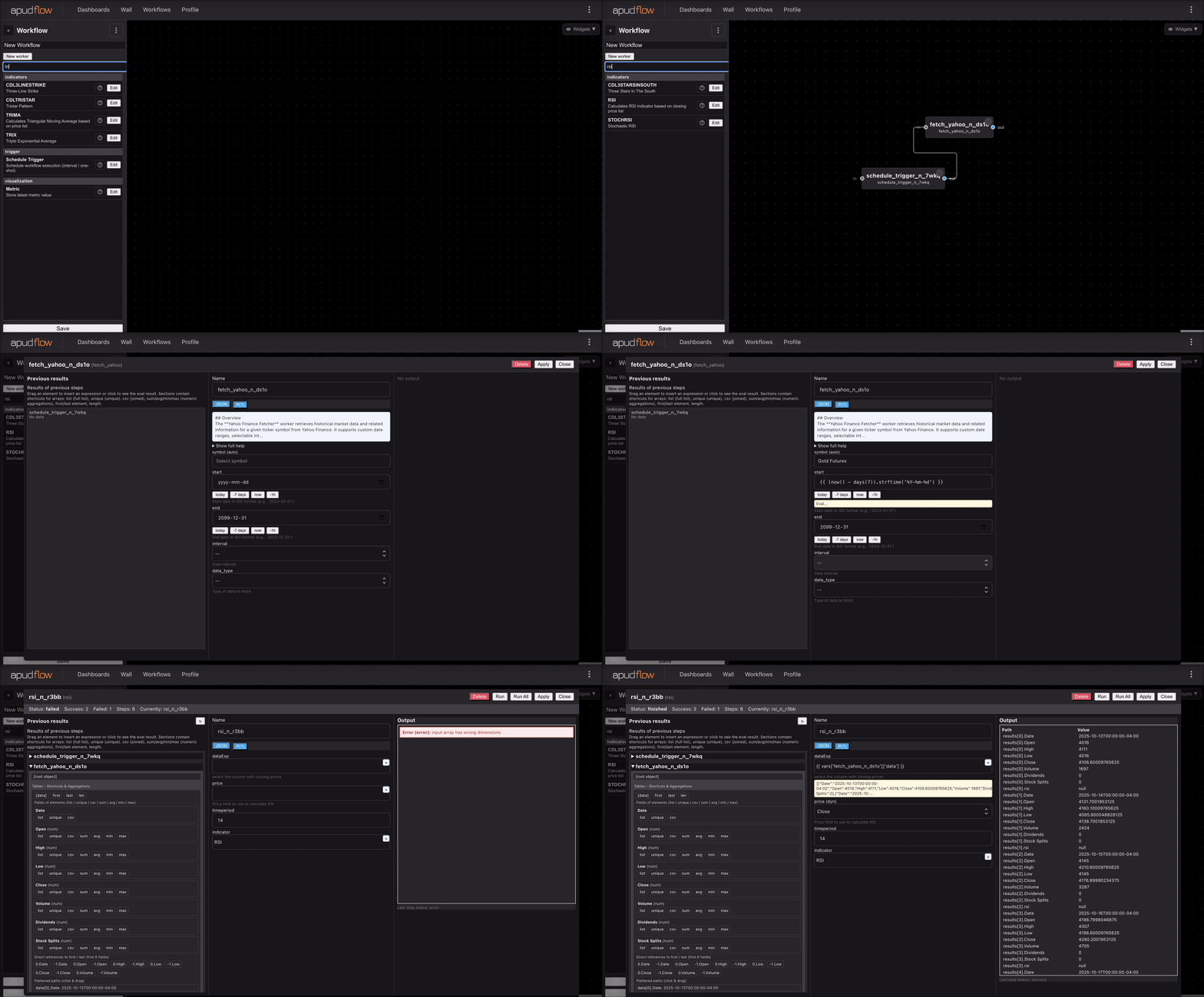
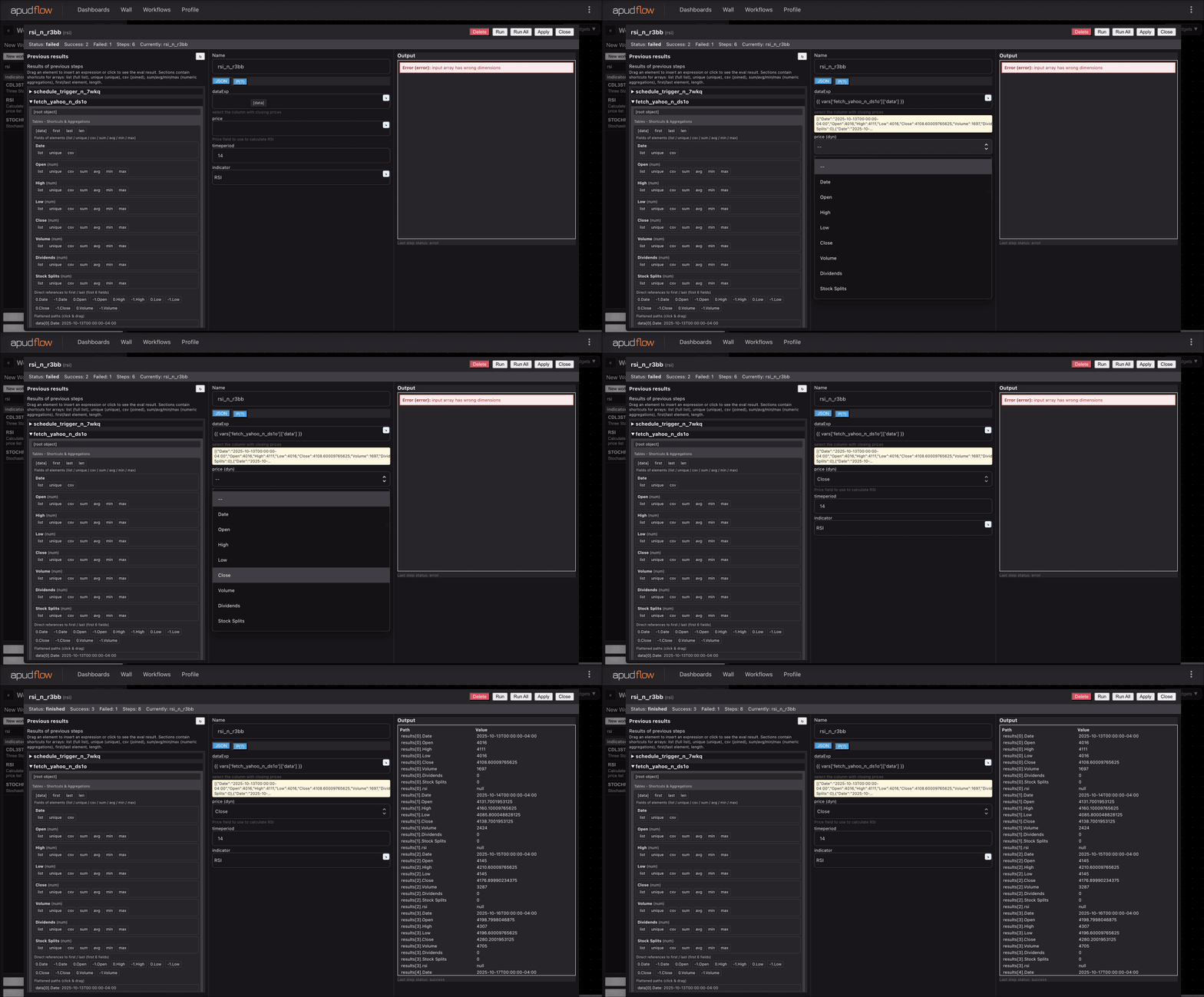
To use the SINH worker, follow these steps:
- Input your data into the
dataExpparameter. - Specify the data column to apply the calculation to using the
realparameter (e.g., closing price).
Example
For example, if you want to calculate the hyperbolic sine of the closing prices of a stock, you would input the stock price data into dataExp and specify real as close.
Indicator Visuals
The following images demonstrate how to use the SINH indicator:
Full Indicator Usage
[](https://pub-6c7cc7f707d94ca98153d59a039b9a3d.r2.dev/indicator_full.gif)
Short Indicator Usage
[](https://pub-6c7cc7f707d94ca98153d59a039b9a3d.r2.dev/indicator_short.gif)
Additional Information
The hyperbolic sine function is commonly used in various fields, including mathematics, physics, and engineering. In finance, it can be used to analyze and model complex relationships between financial variables.
Parameters
dataExp: Input datareal: Data column to apply the calculation to (e.g., closing price)